The AW8 mobile app brings Malaysia's most trusted online casino to your smartphone. Whether you use an Android device on the Celcom, Maxis, Digi, or U Mobile network, or an iPhone on iOS, the AW8 app delivers the complete casino experience — slots, live dealer tables, sports betting, and instant deposits — in a smooth, fast interface optimised for mobile screens.
AW8 App: Key Features
| Feature | Details |
|---|---|
| Platform | Android (APK) + iOS (PWA / Web App) |
| Download Size | Android: ~45 MB | iOS: No download needed |
| Required OS | Android 5.0+ | iOS 12.0+ |
| Games Available | Full library — 2,000+ slots, all live casino, sportsbook |
| Deposits | FPX, DuitNow, TNG, GrabPay, USDT — all supported |
| Withdrawals | 3-minute average to Malaysian bank account |
| Live Chat | 24/7 in-app live support |
| Push Notifications | Bonus alerts, score updates, withdrawal confirmations |
| Price | Free |
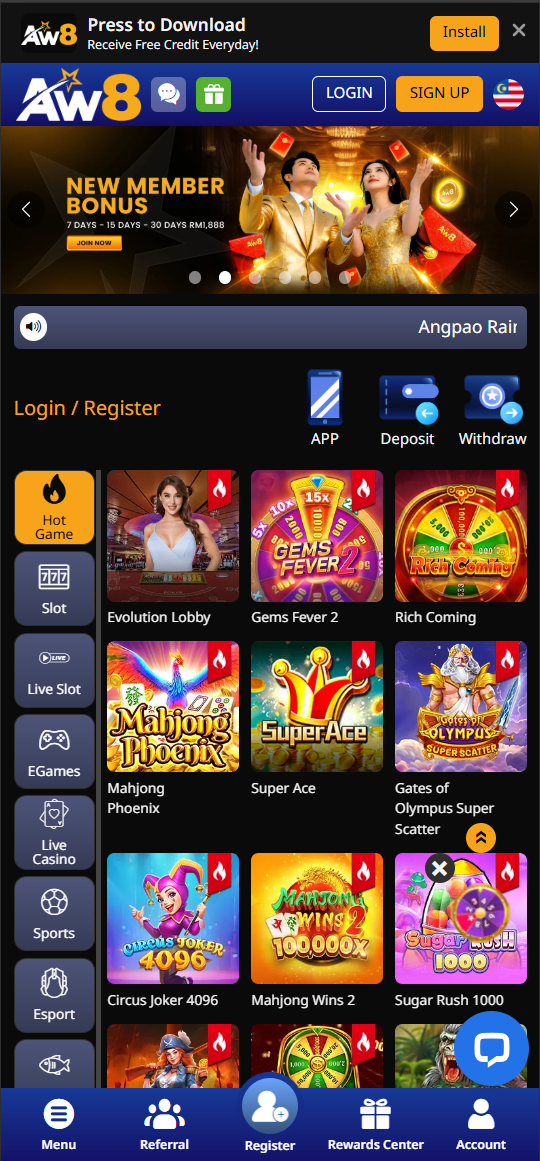
How to Download AW8 App on Android
The AW8 Android app is distributed as an APK file directly from the official AW8 website — it is not available on the Google Play Store, as Google's policies restrict real-money gambling apps for Malaysian users. Installing the APK is simple and takes under 2 minutes.
Step-by-Step Android Installation:
- Enable Unknown Sources — On your Android phone, go to Settings → Security → Unknown Sources and toggle it ON. On newer Android (8.0+), you will enable this during installation when prompted.
- Download the APK — Click the Download button on this page or visit the official AW8 website and tap the Android download icon.
- Open the APK file — Locate the downloaded file in your notification bar or in your Downloads folder and tap it.
- Tap Install — Follow the on-screen prompts. The AW8 icon will appear on your home screen within 30 seconds.
- Log in or Register — Open the app, log in to your existing account or register a new account if you are a new player.
Troubleshooting: If the APK fails to install, ensure your phone has at least 100 MB of free storage. If you see a "Parse Error", re-download the APK — the file may have been interrupted. If your antivirus flags the file, this is a false positive common with gambling APKs; the AW8 APK is safe and verified by thousands of Malaysian users.
How to Install AW8 on iPhone (iOS)
Due to Apple App Store restrictions on real-money gambling apps in Malaysia, AW8 for iPhone is delivered as a Progressive Web App (PWA) — a full-screen web application that feels and functions exactly like a native app once added to your home screen.
Step-by-Step iOS Installation:
- Open Safari — On your iPhone or iPad, open the Safari browser (must be Safari, not Chrome or Firefox, for the Add to Home Screen option).
- Visit the AW8 website — Navigate to the official AW8 Malaysia site.
- Tap the Share icon — Tap the square-with-arrow Share button at the bottom of Safari.
- Tap "Add to Home Screen" — Scroll down in the share sheet and tap this option.
- Tap Add — Confirm by tapping Add in the top right. The AW8 icon now appears on your iPhone home screen.
- Launch and Play — Tap the AW8 icon. It opens in full-screen mode without the Safari browser bar, identical to a native app experience.
AW8 App vs Desktop — Comparison
| Feature | AW8 Mobile App | AW8 Desktop |
|---|---|---|
| All Games Available | ✅ Yes | ✅ Yes |
| FPX / DuitNow Deposits | ✅ Yes | ✅ Yes |
| Live Casino Streaming | ✅ HD on 4G/WiFi | ✅ HD |
| Sports Betting | ✅ Yes | ✅ Yes |
| Push Notifications | ✅ Bonus alerts | ❌ No |
| Touch ID / Face ID Login | ✅ Android fingerprint | ❌ No |
| Screen Size | Mobile-optimised | Full screen |
Mobile Data Usage
AW8's mobile platform is optimised to minimise data consumption without sacrificing video quality. Slots typically consume 1–3 MB per minute. Live casino streaming uses approximately 50–150 MB per hour depending on video quality (automatically adjusted based on connection speed). Sports betting uses under 5 MB per session. Playing on WiFi or an unlimited mobile data plan is recommended for live casino sessions.
Supported Devices
The AW8 app works on virtually all modern Malaysian smartphones and tablets. Tested and verified on: Samsung Galaxy S21/S22/S23 series, Samsung Galaxy A series, Realme GT series, Xiaomi Redmi Note series, OPPO Reno series, Vivo V series, iPhone 11 through iPhone 15 series, and iPad (all models from 2018 onwards).