The AW8 mobile app brings the full online casino experience directly to your smartphone. Whether you use an Android device or an iPhone on iOS, the AW8 app gives you fast access to slots, live dealer tables, sports betting, promotions, account management and secure payments in a smooth mobile interface. The platform is designed for international players who want convenient casino access from any modern device, with support for mobile screens, quick navigation and real-money gaming in commonly used currencies such as USD.
AW8 App: Key Features
| Feature | Details |
|---|---|
| Platform | Android APK + iOS PWA / Web App |
| Download Size | Android: approximately 45 MB | iOS: no traditional download required |
| Required OS | Android 5.0+ | iOS 12.0+ |
| Games Available | Full library — 2,000+ slots, live casino games and sportsbook markets |
| Deposits | Bank cards, selected e-wallets, online banking options and supported cryptocurrencies such as USDT |
| Withdrawals | Fast withdrawals to supported payment methods, depending on account verification and regional availability |
| Live Chat | 24/7 in-app live support |
| Push Notifications | Bonus alerts, sports updates, account notices and withdrawal confirmations |
| Price | Free |
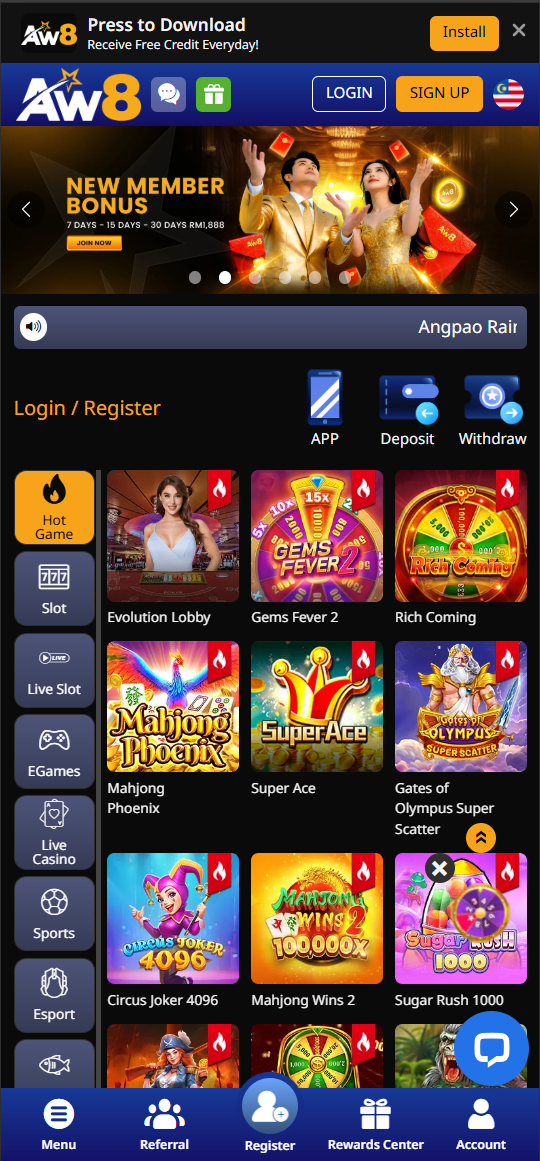
How to Download AW8 App on Android
The AW8 Android app is usually distributed as an APK file directly from the official AW8 website. In many regions, real-money casino apps may not be available through the Google Play Store due to local platform policies and gambling app restrictions. Installing the APK is simple and usually takes less than 2 minutes if your phone has enough free storage and the installation permission is enabled.
Step-by-Step Android Installation:
- Enable installation from unknown sources — On your Android phone, go to Settings → Security → Unknown Sources and toggle it ON. On newer Android versions, you may be asked to allow installation from your browser or file manager during the installation process.
- Download the APK — Click the Download button on this page or visit the official AW8 website and tap the Android download icon.
- Open the APK file — Locate the downloaded file in your notification bar or in your Downloads folder and tap it.
- Tap Install — Follow the on-screen prompts. The AW8 icon should appear on your home screen shortly after installation.
- Log in or register — Open the app, log in to your existing account or create a new account if you are a new player.
Troubleshooting: If the APK fails to install, check that your phone has at least 100 MB of free storage. If you see a "Parse Error", download the APK again because the original file may have been interrupted or corrupted. If your security app flags the file, make sure you downloaded it only from the official AW8 website and not from third-party mirrors. For real-money casino apps, direct APK installation is common, but players should always verify the source before installing any file.
How to Install AW8 on iPhone (iOS)
Due to Apple App Store restrictions on many real-money gambling apps, AW8 for iPhone is commonly delivered as a Progressive Web App. A PWA is a full-screen web application that can be added to your iPhone home screen and used almost like a native app. It does not require a traditional App Store download, but it still provides quick access to the casino lobby, live games, sports betting, account settings, payments and promotions.
Step-by-Step iOS Installation:
- Open Safari — On your iPhone or iPad, open the Safari browser. Safari is required for the Add to Home Screen feature.
- Visit the AW8 website — Navigate to the official AW8 website using your browser.
- Tap the Share icon — Tap the square-with-arrow Share button at the bottom of Safari.
- Tap "Add to Home Screen" — Scroll down in the share sheet and tap this option.
- Tap Add — Confirm by tapping Add in the top right corner. The AW8 icon will appear on your iPhone home screen.
- Launch and play — Tap the AW8 icon. It opens in full-screen mode without the Safari browser bar, creating an app-like mobile casino experience.
AW8 App vs Desktop — Comparison
| Feature | AW8 Mobile App | AW8 Desktop |
|---|---|---|
| All Games Available | ✅ Yes | ✅ Yes |
| USD-Friendly Payments | ✅ Yes, depending on supported payment options | ✅ Yes, depending on supported payment options |
| Live Casino Streaming | ✅ HD on 4G, 5G or WiFi | ✅ HD |
| Sports Betting | ✅ Yes | ✅ Yes |
| Push Notifications | ✅ Bonus alerts and account updates | ❌ No |
| Biometric Login | ✅ Fingerprint or Face ID where supported by the device | ❌ No |
| Screen Size | Mobile-optimised | Full screen |
Mobile Data Usage
AW8's mobile platform is optimised to reduce data consumption while keeping gameplay smooth. Slots usually consume around 1–3 MB per minute, depending on graphics, animations and loading frequency. Live casino streaming can use approximately 50–150 MB per hour depending on video quality, connection stability and automatic resolution settings. Sports betting pages usually require less data, often under 5 MB per session for browsing markets, checking odds and placing bets. Playing on WiFi or an unlimited mobile data plan is recommended for long live casino sessions.
Supported Devices
The AW8 app works on most modern smartphones and tablets used by international players. It is compatible with many popular Android devices, including Samsung Galaxy S series, Samsung Galaxy A series, Xiaomi Redmi and Note devices, Realme models, OPPO smartphones, Vivo smartphones and other Android phones running Android 5.0 or newer. On iOS, AW8 can be used on iPhone 11, iPhone 12, iPhone 13, iPhone 14, iPhone 15 and newer models, as well as many iPad models from recent years. For the best experience, use an updated browser, keep enough free storage on your device and maintain a stable internet connection.
Payments in the AW8 App
The AW8 mobile app supports real-money deposits and withdrawals through selected payment methods available to your account. Depending on your region, this may include bank cards, online banking options, e-wallets and cryptocurrencies such as USDT. For international players, USD is one of the most convenient reference currencies because many casino bonuses, deposit examples and payment limits can be clearly compared in dollar value.
For example, a small starter deposit that would be shown as a local-currency amount on a regional casino page can be presented internationally as approximately $10–$20. Larger bonus-related deposits may be shown as approximately $50, $100 or $200, depending on the offer. Always check the final amount, minimum deposit, maximum bonus, wagering terms and payment availability inside your AW8 account before depositing.