Accessing your AW8 Malaysia account is fast and straightforward. Whether you are logging in on desktop via a browser or on your Android or iPhone via the AW8 mobile app, the process takes under 30 seconds. This guide covers the standard login process, troubleshooting common issues, and how to recover your account if you have forgotten your password.
How to Log In to AW8
- Click the Login button — On the AW8 homepage, click the yellow Login button in the top-right corner.
- Enter your username or mobile number — Use the username or registered Malaysian mobile number (+60) you used during registration.
- Enter your password — Type your account password. Passwords are case-sensitive.
- Click Sign In — You will be redirected to your account dashboard immediately.
If you have enabled biometric login on the AW8 Android app, you can skip the password step and use your phone's fingerprint scanner or facial recognition instead.
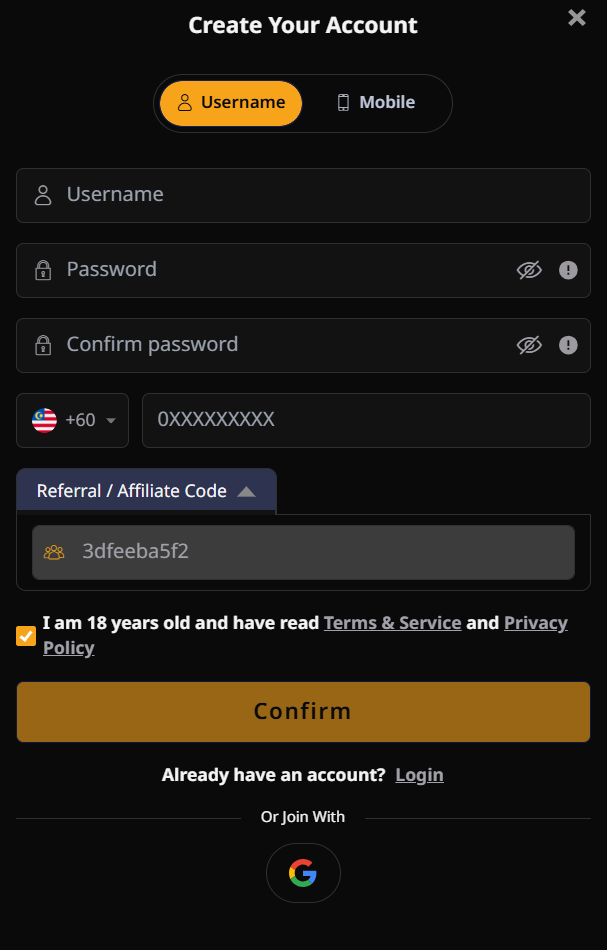
AW8 Login on Mobile
Mobile login works identically to desktop. Open the AW8 app on your Android device or visit the AW8 mobile website on your iPhone in Safari. Tap the Login button at the top of the screen, enter your credentials, and tap Sign In. The app will remember your username for future sessions (unless you log out or clear the app cache).
Forgot Your AW8 Password?
If you cannot remember your AW8 password, use the account recovery feature:
- On the login screen, click Forgot Password?
- Enter your registered Malaysian mobile number
- You will receive an OTP (one-time password) via SMS within 60 seconds
- Enter the OTP on the verification screen
- Create a new password — minimum 8 characters, including at least one number and one letter
- Log in with your new password
If you no longer have access to your registered mobile number, contact AW8's 24/7 live chat support. The support team will verify your identity and assist with account recovery.
New to AW8? How to Register
If you do not yet have an AW8 account, registration takes under 2 minutes:
- Click the Sign Up button on the AW8 homepage
- Enter your preferred username (6–15 characters, letters and numbers)
- Enter your Malaysian mobile number (+60)
- Set a secure password (minimum 8 characters)
- Agree to the Terms and Conditions
- Click Register
Your account is activated instantly. You can make your first deposit and claim the welcome bonus immediately after registration. No email verification is required.

AW8 Account Security Tips
- Never share your AW8 password with anyone — AW8 support staff will never ask for your password
- Use a unique password not used on any other website or app
- Enable biometric login on the AW8 Android app for fast and secure access
- Only log in from the official AW8 website — bookmark it to avoid phishing sites
- If you suspect unauthorised access to your account, contact AW8 live chat immediately to freeze your account